4. Following and steering a task
By the end of this chapter you will be able to find any of your tasks, see where it stands, leave the agents a note and stop a task.
The room list
Every task has a room, and the room list shows them all. Open it from the watch link in the factory’s first comment, or from the address your platform team gave you.
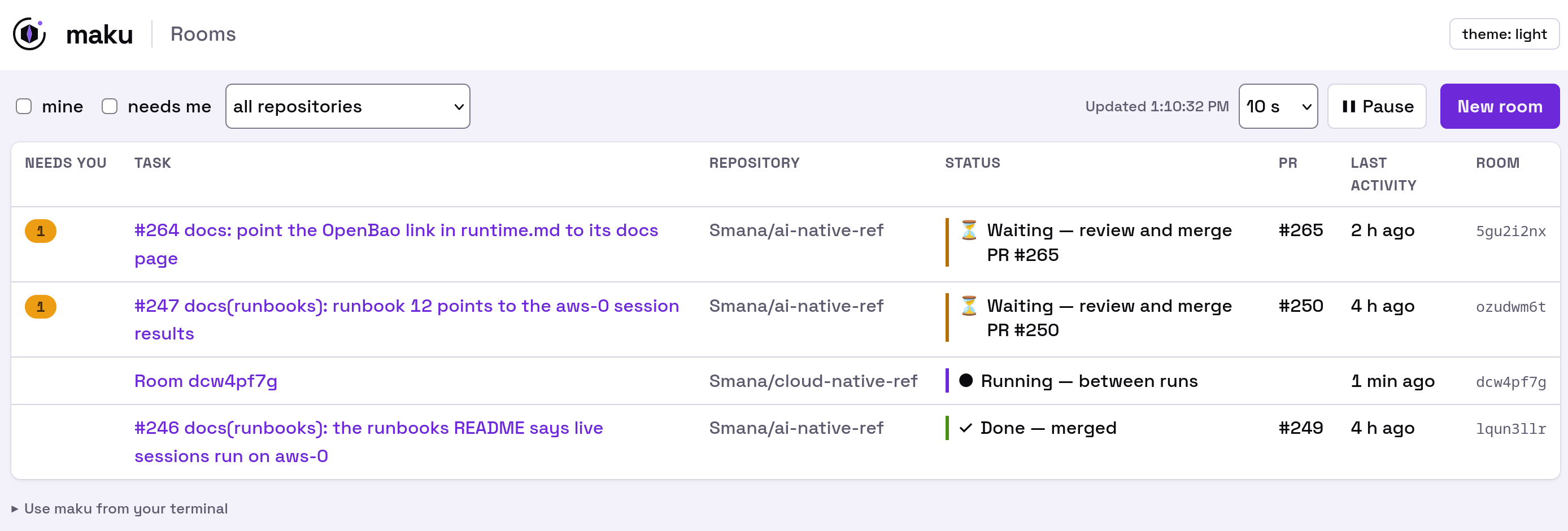
The room list. Tick needs me to see only the tasks waiting for you.
The list refreshes itself, and the tab’s title counts the rooms that need you, so you can leave it open in a corner. A room you expect but cannot see is almost always a missing GitHub link (chapter 2).
The room page
Click a room to open its page. It reads from top to bottom:
- The run strip. What the task is doing now, the issue it came from, the tokens it has spent out of its budget, and its pull request.
- Next. Shown when the task waits: why it waits, and what to do.
- Needs you. Shown only when an agent asks for your approval, with a deadline and a button.
- What you can do now. Leave a note, or stop the task. You only see the actions you are allowed to take.
- Progress notes. The agents’ own account of what they are doing. Read them as a colleague’s status update: useful, but the pull request is what counts.
- The event stream. Every step every agent took, folded away until you need it.
Leave a note for the next run
Spotted something the agent should know? Write it in the room and choose queue. The note goes into the next run’s instructions, without interrupting the run in progress.
The room may also offer to let you drive: talk to the running agent directly and interrupt it. One person drives at a time. Most of the time a queued note, or a review on the pull request, is enough.
Stop a task
Put the label factory/stop on the issue or its pull request. The task’s runs end at once, and the
branch keeps whatever the agents pushed. To pick it up later, see
chapter 7.
Next: chapter 5 covers the moments the factory stops and asks for you.